
Industrial Operations
Telematics for Industrial Vehicle Operations
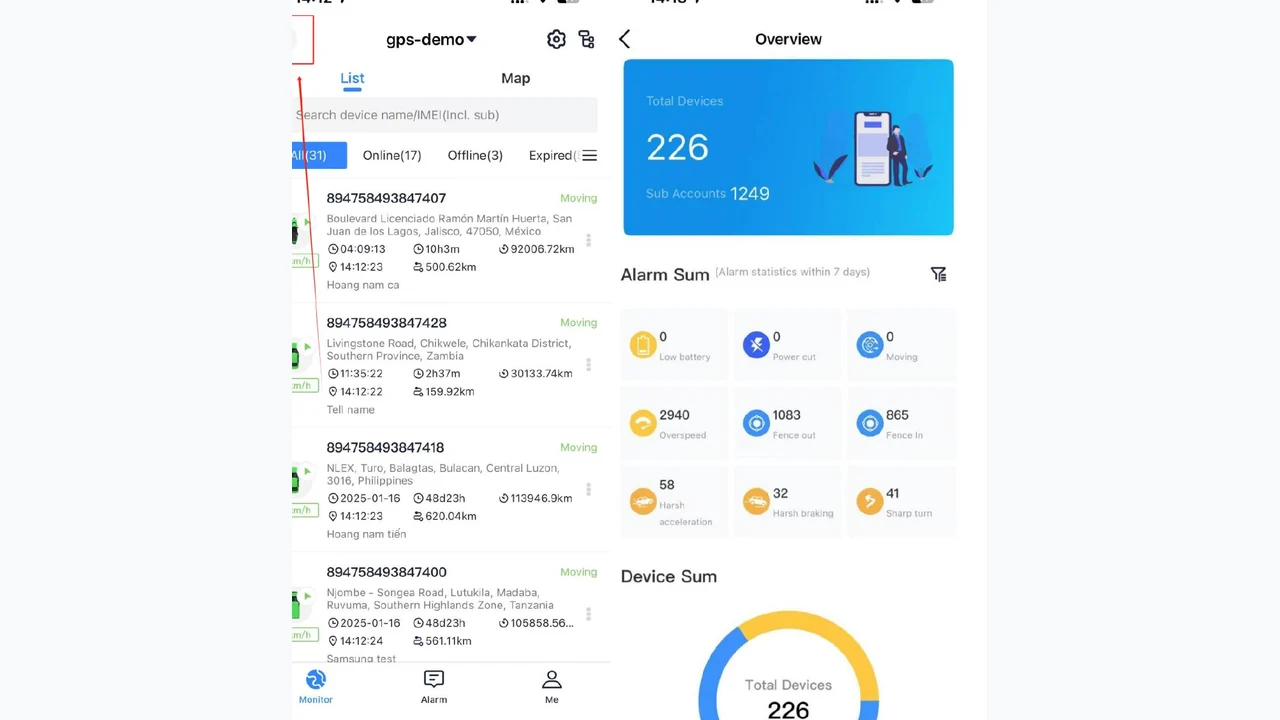
Industrial operations use WanWay to monitor vehicles, organize device administration, review alarms and reports, and support site-specific operating workflows through IOPGPS.
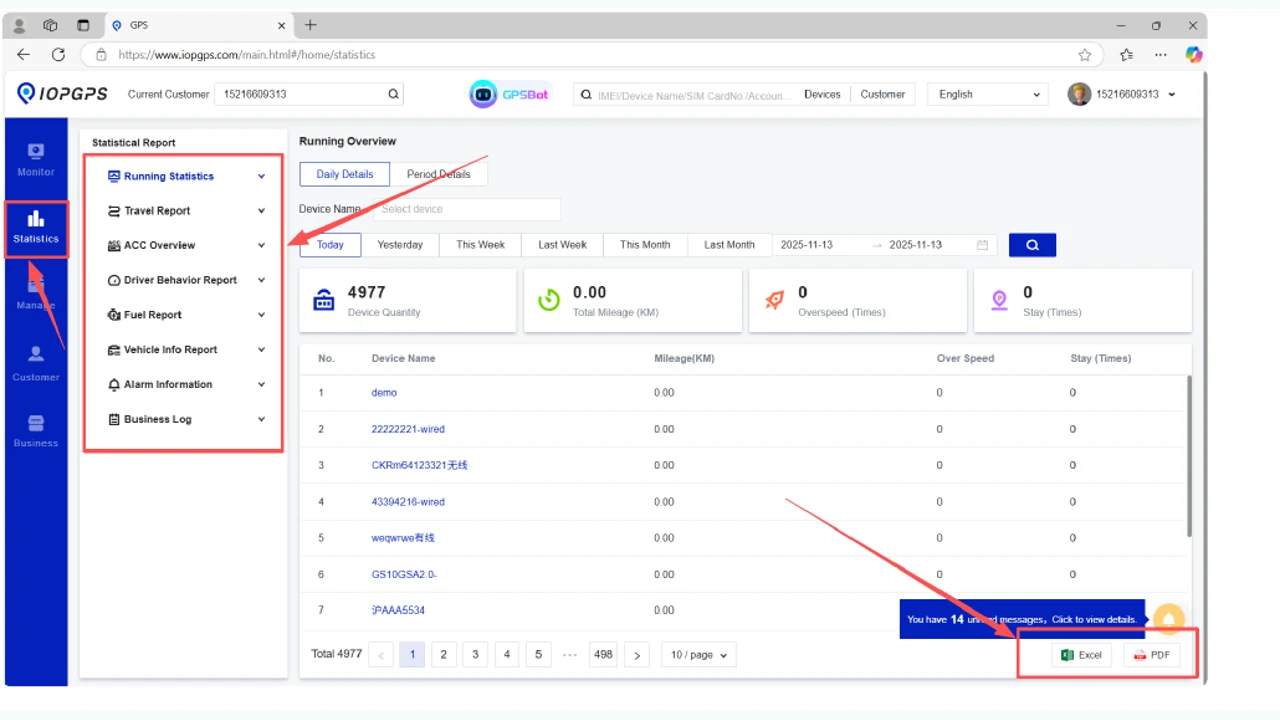
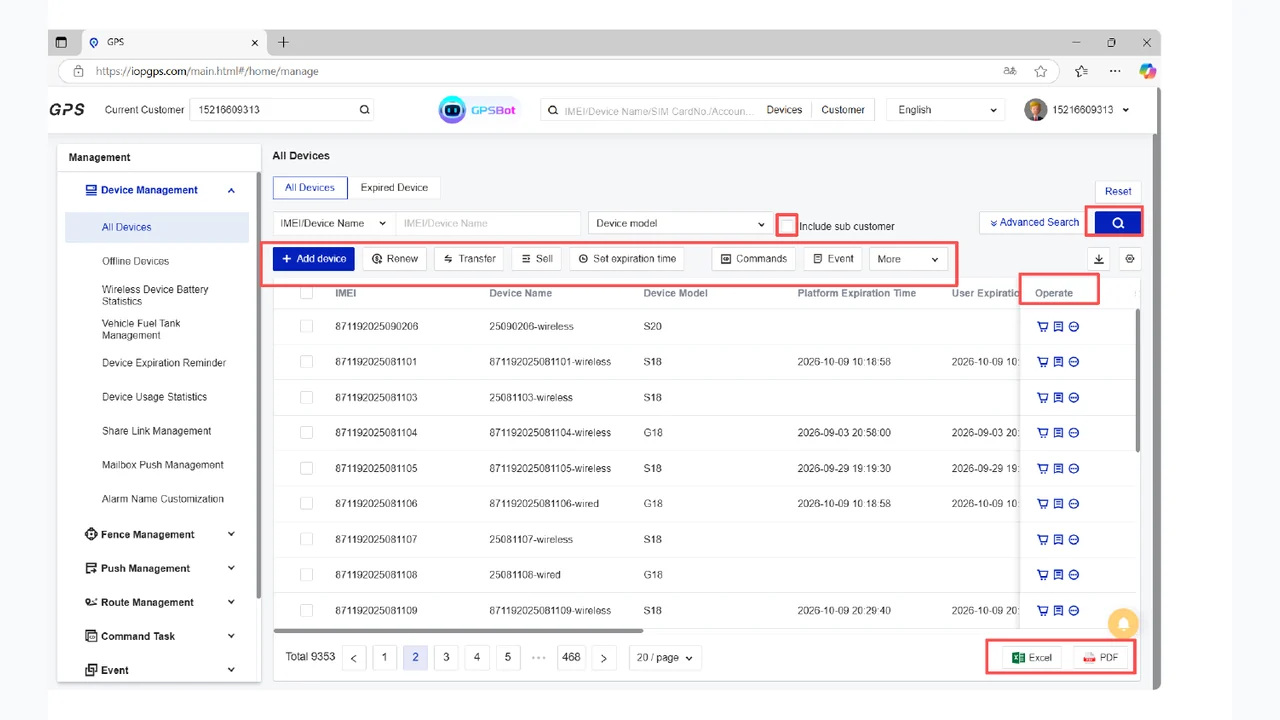
IOPGPS supports tracking visibility, device lifecycle workflows, reports, exports, mobile access, and accessory-supported data where compatible.
Who It Is For
Teams That Fit This Industry Path
Fleet and transport managers
Site monitoring teams
Telematics administrators
Business Needs
What Needs to Work
- Monitor large vehicle groups across site operations.
- Review location, alarms, reports, and exception context.
- Manage devices, assignments, and staged deployment work.
- Use compatible accessory data for operational reporting.
Industry Workflow
From Site Scope to Operational Review
Industrial deployments should align site operations, vehicle groups, device data, and reporting workflows before scaling.
Define site scope
Map vehicle categories, operating zones, device groups, and user roles.
Validate device data
Confirm tracker, accessory, and report-field compatibility.
Configure workflows
Set maps, alarms, reports, exports, mobile access, and permissions.
Review operations
Use reporting and exception history to support site operations.
Recommended Solutions
Solution Paths for This Industry
Fleet Visibility Solutions
WanWay helps fleet operators monitor vehicles, review location history, configure geofences and alerts, manage devices, and export operational reports through IOPGPS.
Explore solutionPartner Platform Solutions
WanWay provides telematics service providers, device partners, and system integrators with multi-device operations, account management, mobile workflows, white-label options, and authenticated API integration through IOPGPS.
Explore solutionTheft Recovery Solutions
WanWay supports theft-recovery readiness with vehicle location visibility, geofences, alarms, historical playback, mobile access, and coordinated operational workflows through IOPGPS.
Explore solutionPlatform Fit
IOPGPS Capabilities Commonly Used Here
Tracking and Visibility
Visibility work starts with current position, then adds device status, movement history, and controlled location sharing for authorized review.
Explore capabilityDevice Management
Device operations connect account structure, user permissions, onboarding, assignment, transfer, and lifecycle review.
Explore capabilityReports and Exports
Reporting workflows help teams filter telematics records, review exceptions, export records when permitted, and coordinate follow-up.
Explore capabilityAlerts and Workflows
Event handling links vehicle events to rules, notifications, team review, and permitted follow-up actions.
Explore capabilityCommon Workflows
How Teams Usually Apply IOPGPS
- Define site vehicle groups and user permissions.
- Onboard devices and validate reporting status.
- Configure map, alarm, report, and mobile workflows.
- Review operational reports and exception history.
- Adjust deployment configuration as site scope changes.
Device and Deployment Fit
What to Confirm Before Launch
Hardwired vehicle trackers
Fuel-level sensors where compatible
Mobile app access
Compatible third-party devices where approved
Evidence and Examples
Related Customer Stories and Use Cases
Industrial Fleet Operations Across 7,000 Vehicles
IMIP used a customized IOPGPS environment to digitize industrial fleet operations across 7,000 connected vehicles.
Read customer storyRegional fleet monitoring for service, logistics, or field operations
Regional fleet teams can use IOPGPS to monitor vehicle location, review route history, configure geofences and alerts, and export reports for operational review.
Explore use caseThird-party device and API integration for an existing business platform
Businesses with existing devices or systems can scope third-party device integration and authenticated API access with IOPGPS based on protocol, data availability, permissions, and integration requirements.
Explore use caseDeployment Considerations
Scope and Configuration Matter
Confirm vehicle groups, site operating requirements, and staged rollout needs.
Validate device and accessory compatibility before publishing data fields in reports.
Define user permissions and operating workflows for each team.
Set report, export, alarm, and mobile-review requirements before launch.
Frequently Asked Questions
What industrial workflows can WanWay support?
WanWay can support industrial vehicle visibility, device management, alarm review, mobile workflows, reports, exports, and staged deployment planning through IOPGPS.
Can IOPGPS use sensor or accessory data?
Some reporting fields can use accessory-supported data when the device, sensor, and configuration support that data.
Is industrial deployment scope universal?
No. Industrial deployment scope depends on vehicle groups, devices, site requirements, permissions, available data, and operating configuration.
Last updated July 28, 2026.