
Report generation
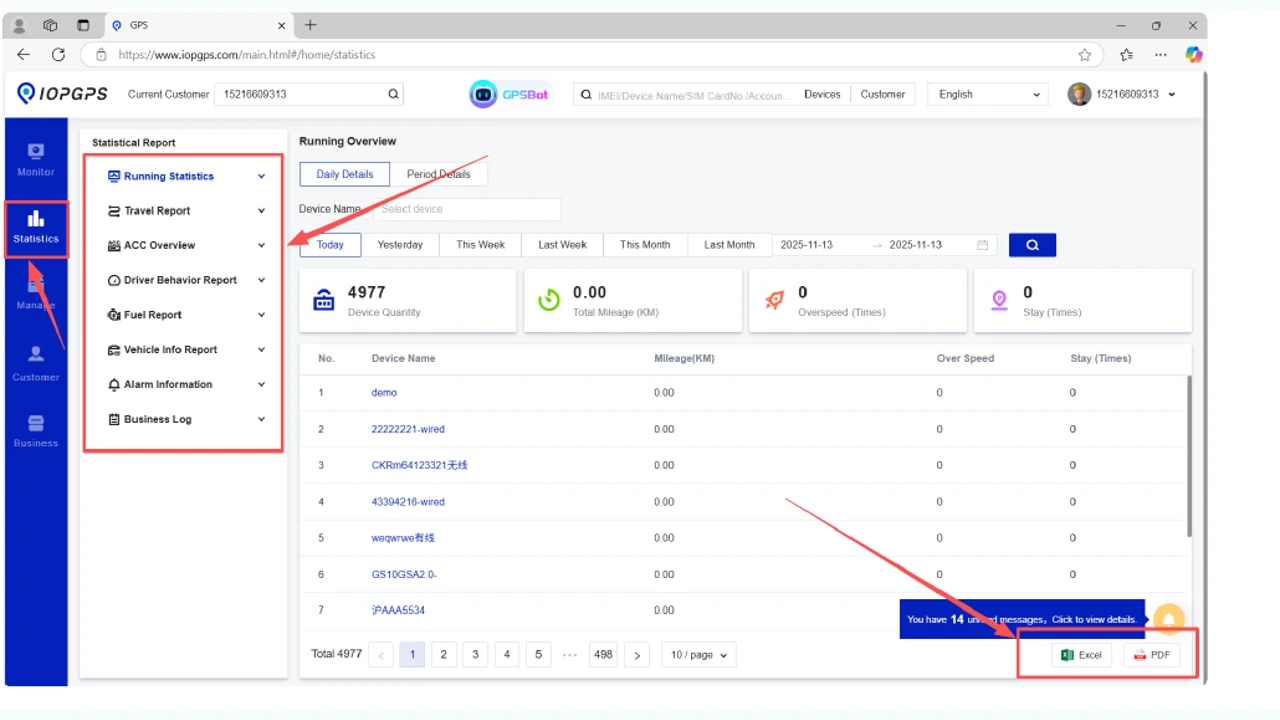
Review available platform reports for operational workflows.
IOPGPS supports reports, exports, playback review, alarm records, and operational evidence workflows when the required device data and permissions are available.
Reporting should be planned around the business questions each team needs to answer, the device data available, and the export or integration workflow that follows.
Reporting Summary
Reporting workflows help teams filter telematics records, review exceptions, export records when permitted, and coordinate follow-up.
Reporting Workflow
Teams narrow the available data, review operational context, export the required records, and coordinate the next action.
Select the account, device group, report type, and time range relevant to the operational question.
Examine movement history, alarm records, device status, and other available reporting fields.
Export selected information for team review, customer service, investigation, or downstream operational workflows.
Share the findings with the responsible team, document exceptions, and define the next operational action.
Report Capabilities
Review available platform reports for operational workflows.
Export records for review and follow-up when permissions allow.
Use historical track review to support investigation and evidence workflows.
Review alarm history and event context for configured devices.
Use mobile report workflows for authorized operational users.
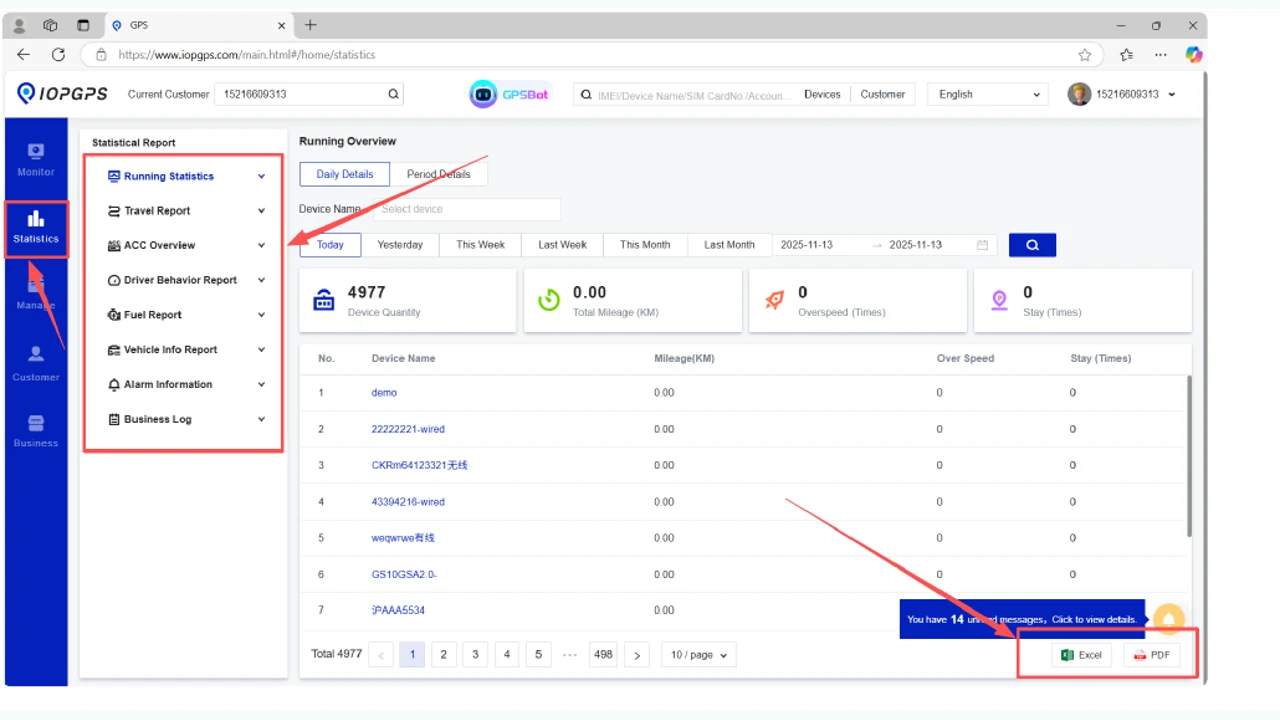
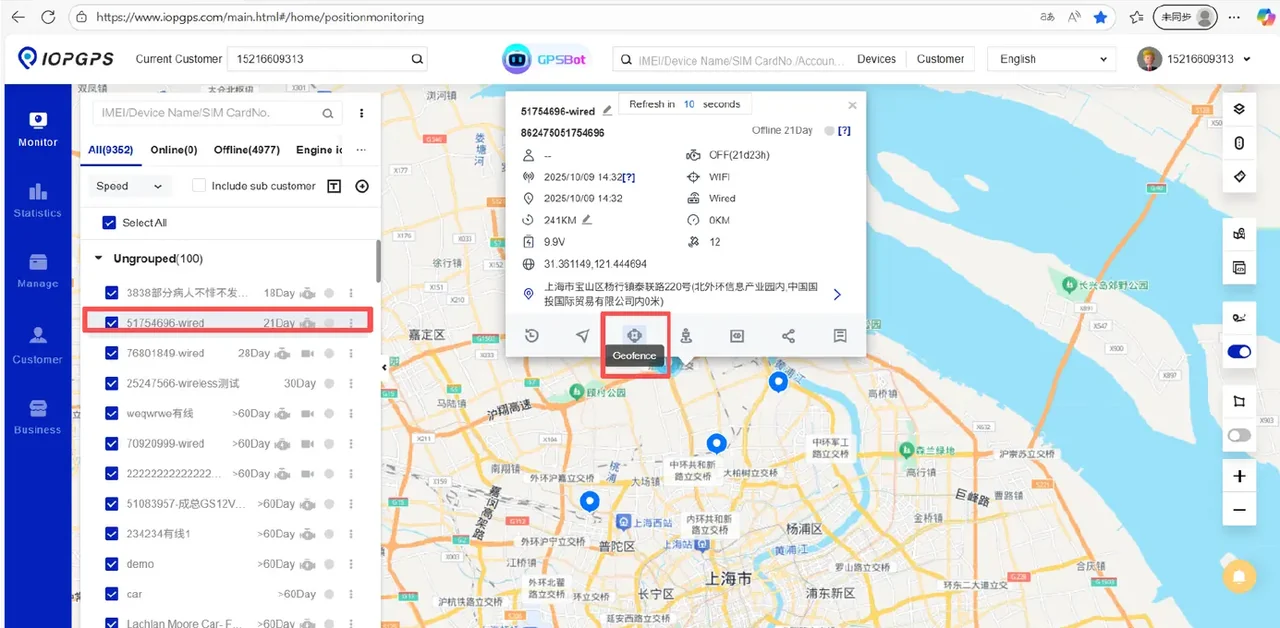
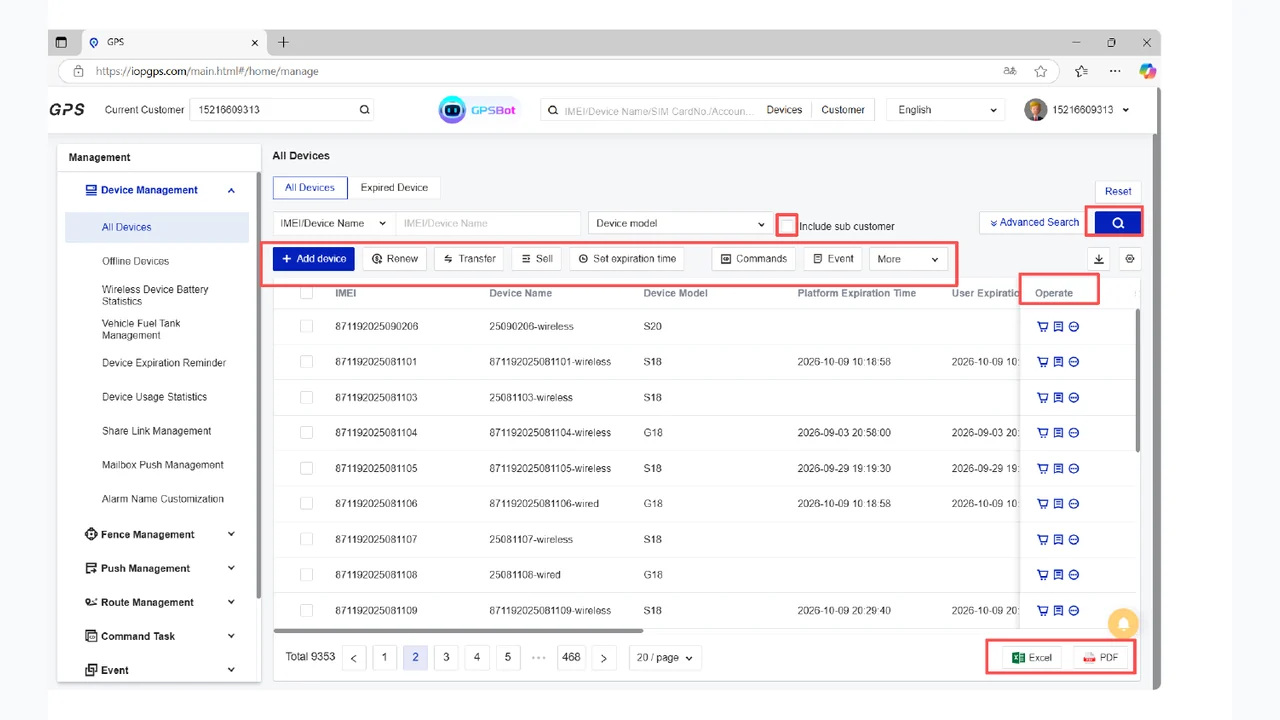
Report and Export Interface
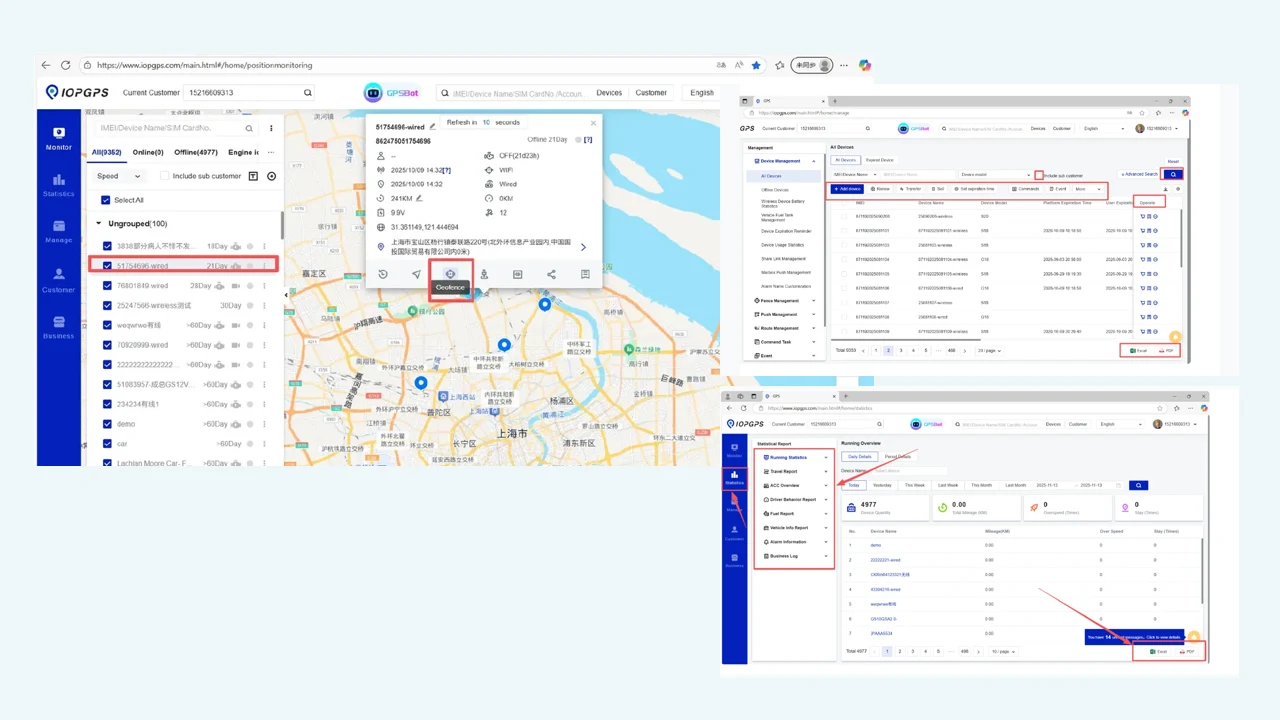
The Reports page now uses an approved horizontal IOPGPS report/export screenshot instead of a vertical app dashboard.
Reporting Users
Fleet teams reviewing trips, alarms, movement history, and operational records.
Finance and recovery teams that need reports and playback context for follow-up.
Partners and integrators that need exportable data for customer service or downstream systems.
Reporting Requirements
Which reports and exports are required for daily operations?
Which device data fields are available for each report type?
Which users and systems should receive exported records?
Device and Data Dependencies
Location history and alarm records
Sensor or event fields required for specific reports
Report permissions and export settings
Data quality and reporting interval
Deployment Considerations
Some reports require specific device data or sensor support.
Export permissions should match user roles and customer procedures.
Report workflows can be paired with API integration when external systems need defined data.
Customer Proof
A Southeast Asian vehicle finance provider used IOPGPS to support digital oversight for one million financed vehicles.
IMIP used a customized IOPGPS environment to digitize industrial fleet operations across 7,000 connected vehicles.
Yes. IOPGPS supports report generation and operational review workflows.
Yes. IOPGPS supports export workflows for authorized users and configured records.
No. Some report value depends on device model, sensor support, protocol, available data, and deployment configuration.
Yes. Reports, playback, alarm history, and exports can support recovery, finance, fleet, and partner workflows when scoped for the deployment.
Last updated July 25, 2026.