
Map monitoring
Review connected vehicles and device status from web and mobile interfaces.
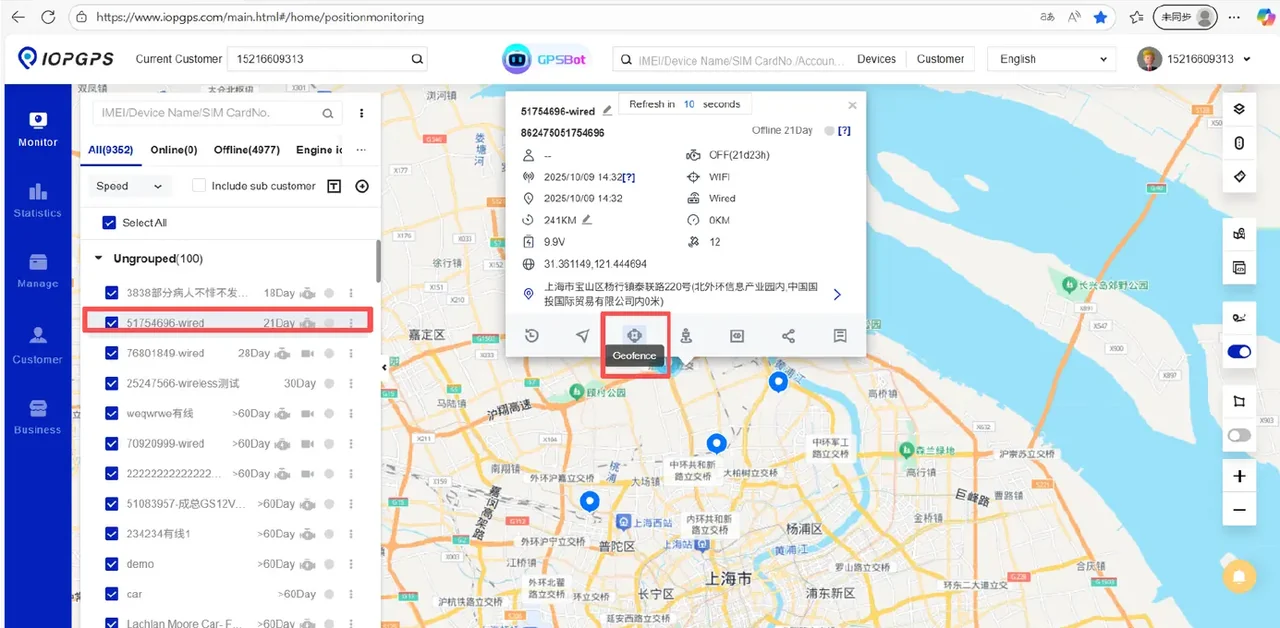
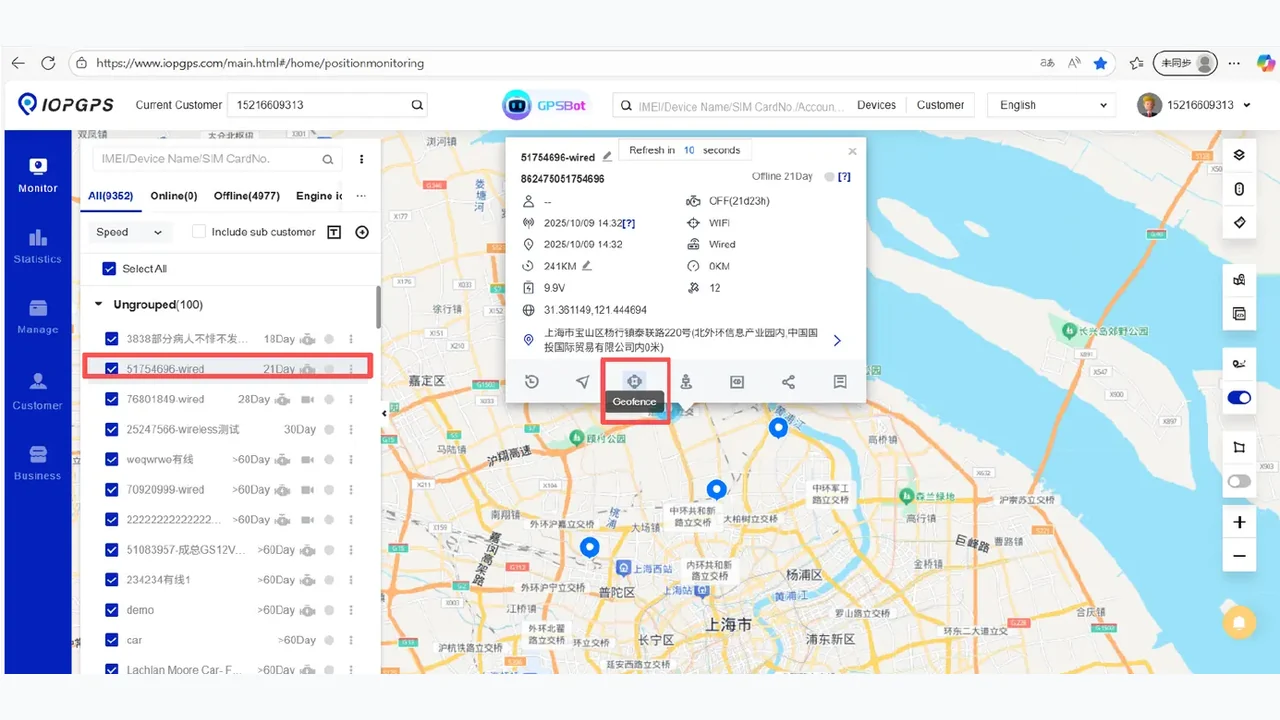
IOPGPS helps teams see connected vehicles on web and mobile maps, review device status, play back historical tracks, and share location context within configured workflows.
Tracking and visibility are most useful when device data, account permissions, map views, alert context, and reports are aligned with the operating workflow.
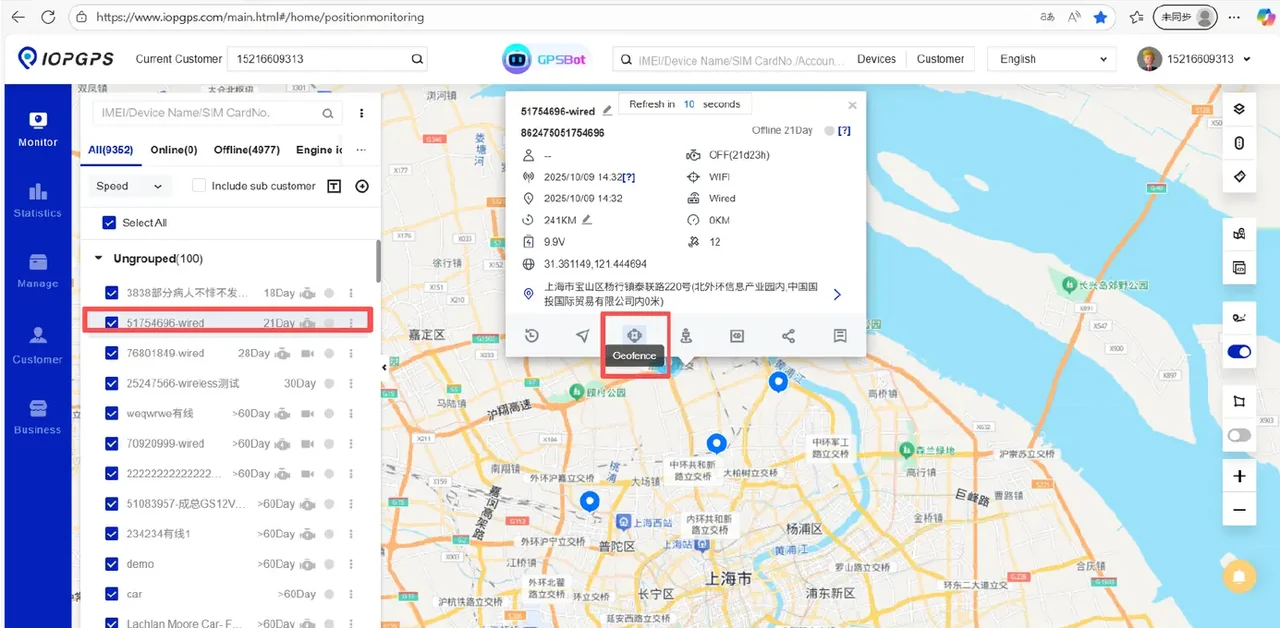
Visibility Summary
Visibility work starts with current position, then adds device status, movement history, and controlled location sharing for authorized review.
Visibility Capabilities
Review connected vehicles and device status from web and mobile interfaces.
Examine movement history over selected time ranges when device data is available.
Use status and available telemetry to understand whether a vehicle is reporting.
Share time-limited location context when the deployment scope supports it.
Combine location review with geofence and alarm workflows.
Visibility Workflow
Teams move from the latest available location and device context to historical review and authorized coordination.
Review the latest available vehicle location, device status, and account context from the web or mobile interface.
Confirm whether the device is reporting and review available status, alarm, and operating information.
Use historical playback and a defined time range to examine previous routes and movement context.
Provide authorized teams with time-limited location context when coordination or follow-up is required.
Web and Mobile Visibility
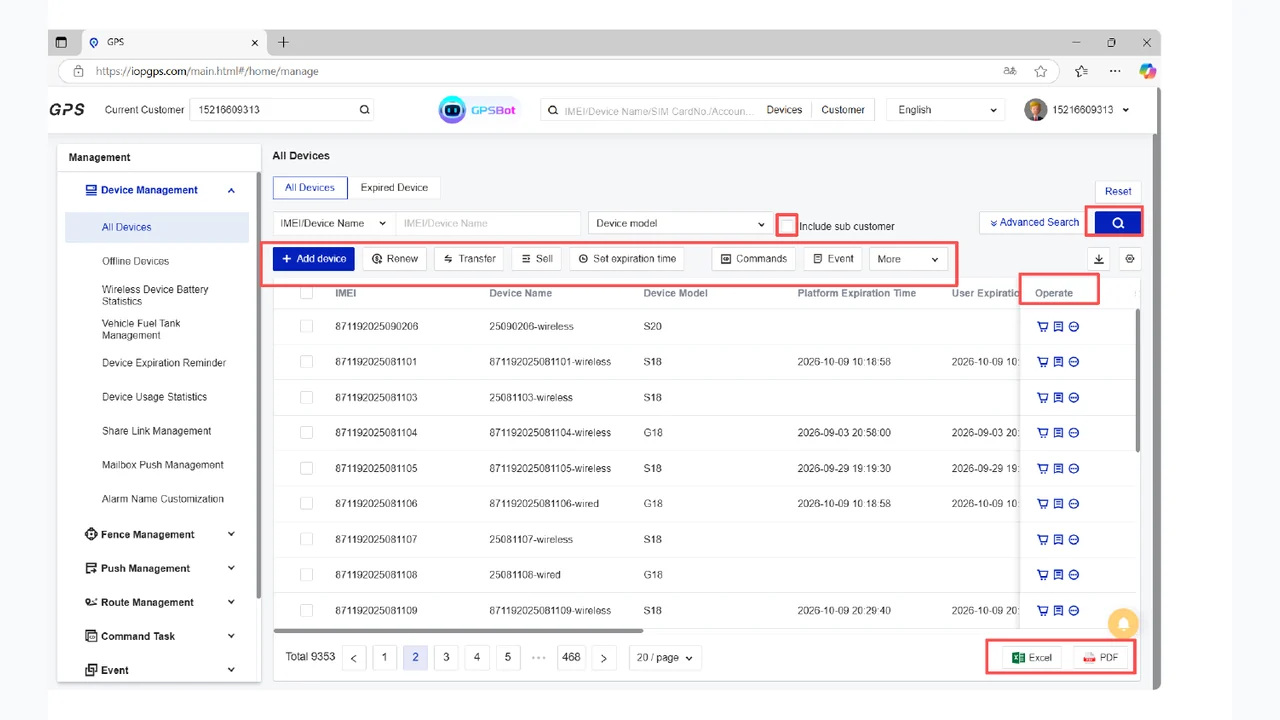
The tracking page keeps a map-based IOPGPS screenshot because current position, device context, and playback all begin with readable location visibility.
Visibility Users
Dispatch, fleet, and operations teams that need current vehicle context.
Recovery and security teams that need playback and location review.
Finance and partner teams that need visibility across managed vehicles.
Visibility Requirements
Which vehicles need live visibility and historical movement review?
Which teams should access map views, playback, and location-sharing workflows?
Which device data is available for each vehicle type?
Device and Data Dependencies
GPS and network signal availability
Device reporting interval and stored history
Protocol support for location and status fields
Map and account permissions
Deployment Considerations
Tracking views require compatible device data and reliable communication.
Playback availability depends on reporting history and platform configuration.
Location sharing must be configured with customer procedures and account permissions.
Customer Proof
See how tracking, playback, and location context were applied in vehicle recovery and industrial fleet operations.
A Brazilian vehicle security provider used IOPGPS to support faster recovery coordination across 5,000 connected security vehicles.
IMIP used a customized IOPGPS environment to digitize industrial fleet operations across 7,000 connected vehicles.
Yes. IOPGPS supports web and mobile map workflows for connected vehicles and authorized users.
Yes. Historical playback is available when the device provides the required movement data and history.
Yes. IOPGPS supports time-limited location sharing, with availability and usage configured for the deployment.
Tracking visibility depends on device model, signal, connectivity, reporting interval, available data, account permissions, and deployment configuration.
Last updated July 25, 2026.