
Manual onboarding
Add individual device records for targeted setup.
IOPGPS supports manual and batch device onboarding, account hierarchy, role permissions, device lifecycle workflows, and multi-device operations for configured telematics deployments.
Device management is configured around each program's account structure, device models, available data, partner responsibilities, and operational process.
Device Operations Summary
Device operations connect account structure, user permissions, onboarding, assignment, transfer, and lifecycle review.
Account Hierarchy
IOPGPS can organize devices, operating groups, and user access within a structured account hierarchy aligned with the deployment. The exact hierarchy and available actions are defined for each deployment.
Represents the primary customer, program, or partner environment and provides the top-level scope for devices, users, and operating responsibilities.
Separates business units, branches, dealer groups, regions, customers, or operating teams when different access and device responsibilities are required.
Organizes connected devices by portfolio, vehicle type, operating region, customer program, or another practical management category.
Stores the individual tracker record, assignment, reporting status, available data, and supported lifecycle actions.
Defines which users can view, manage, transfer, report on, or otherwise work with the relevant accounts and devices.
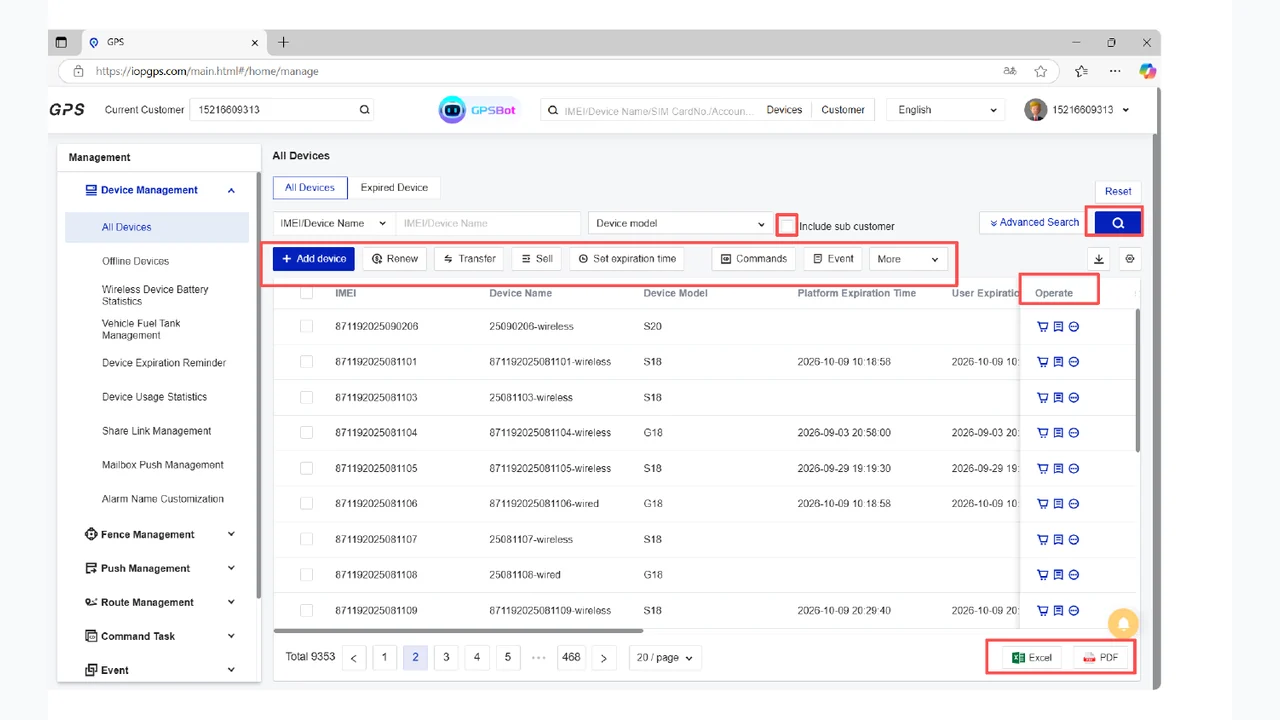
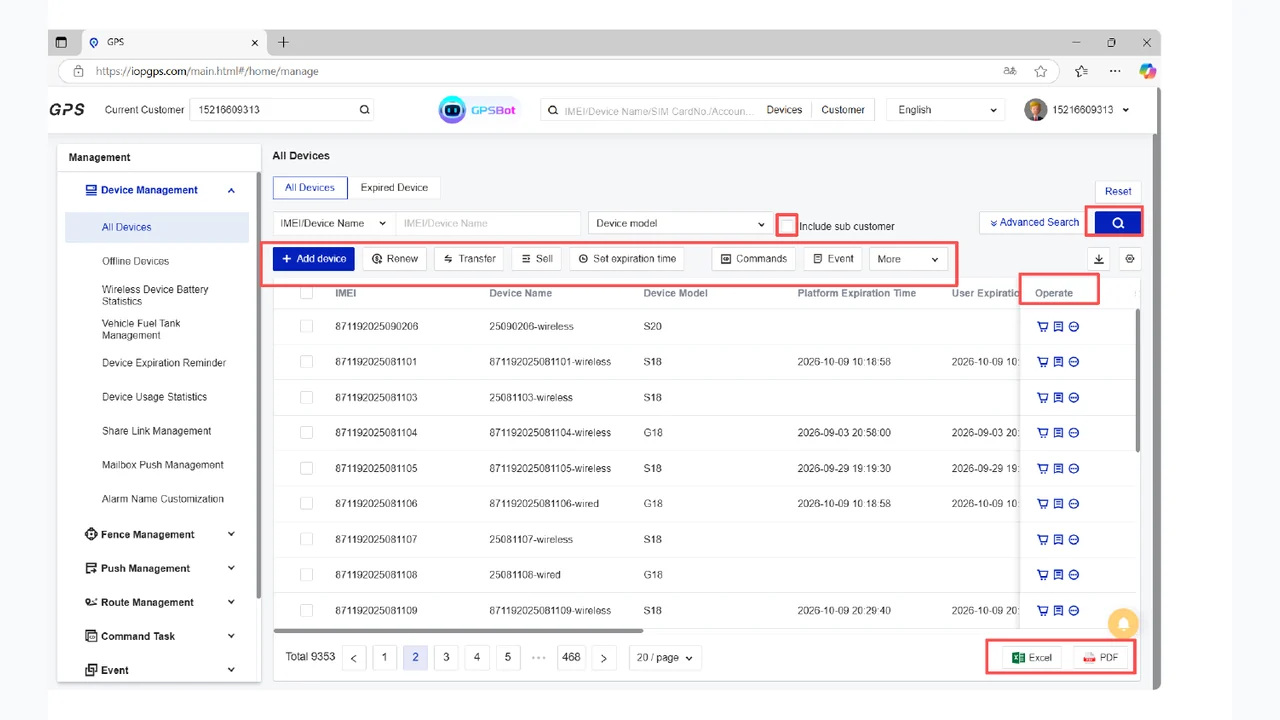
Device Management Interface
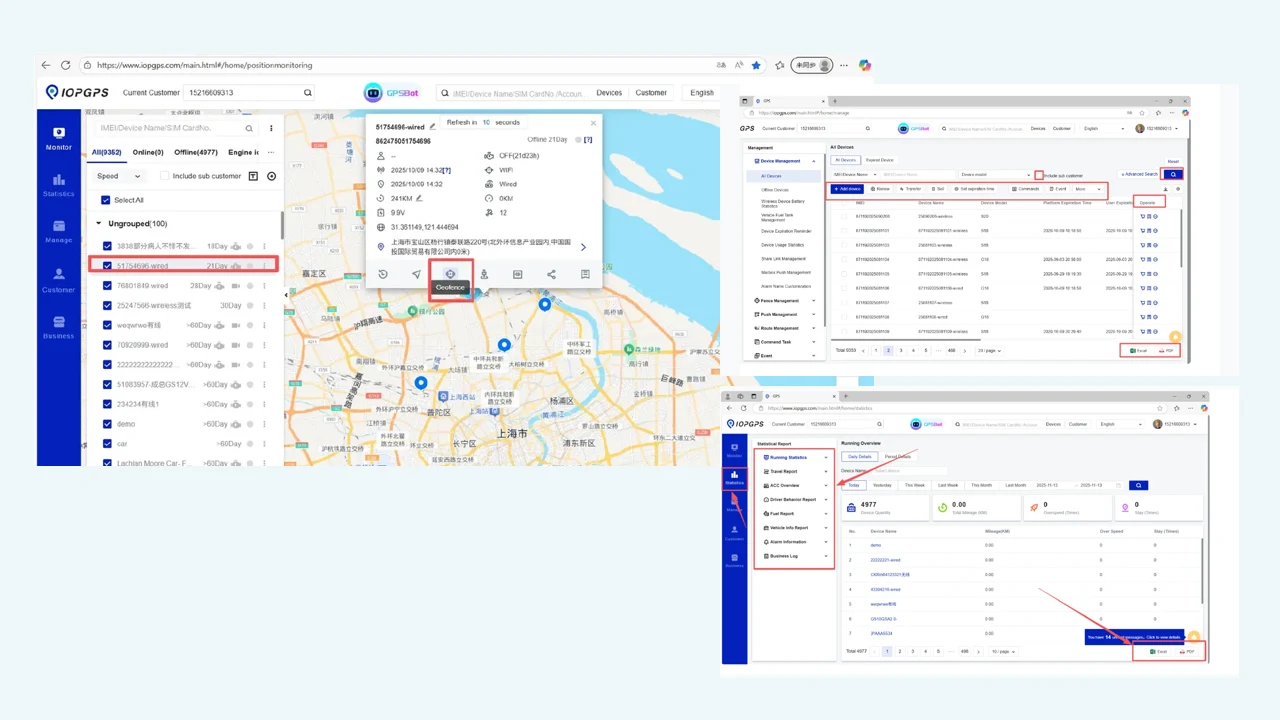
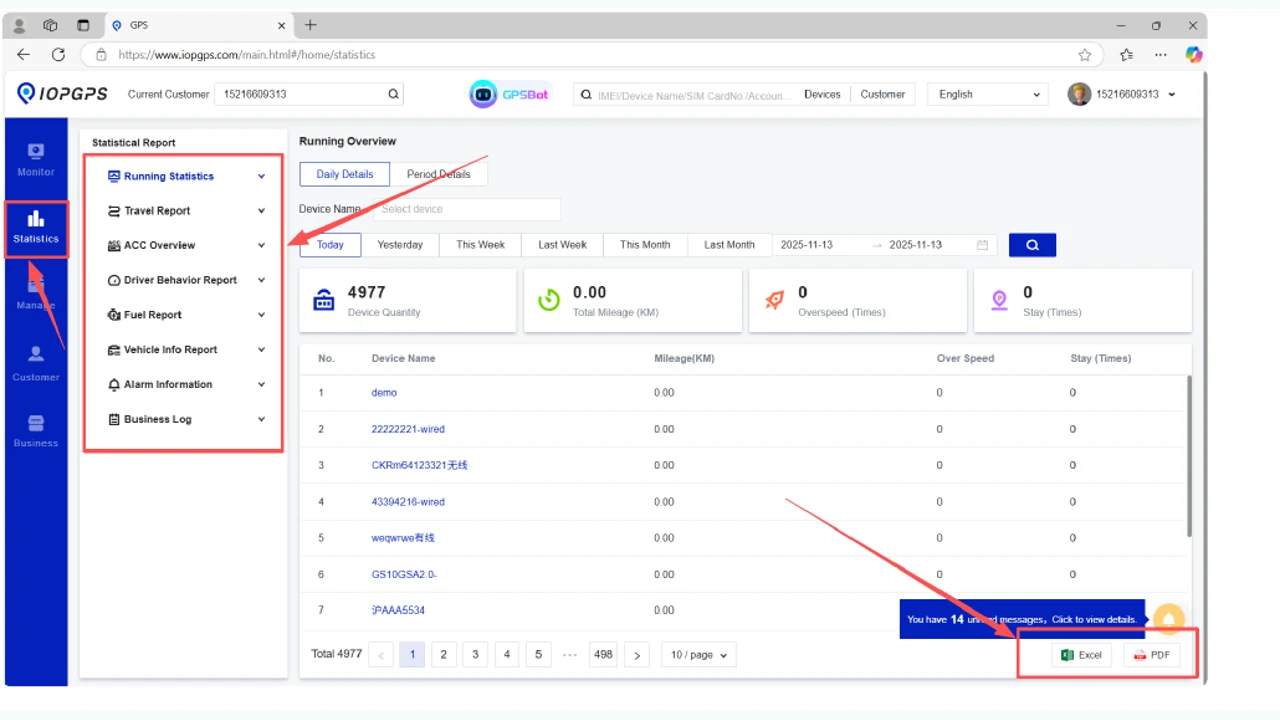
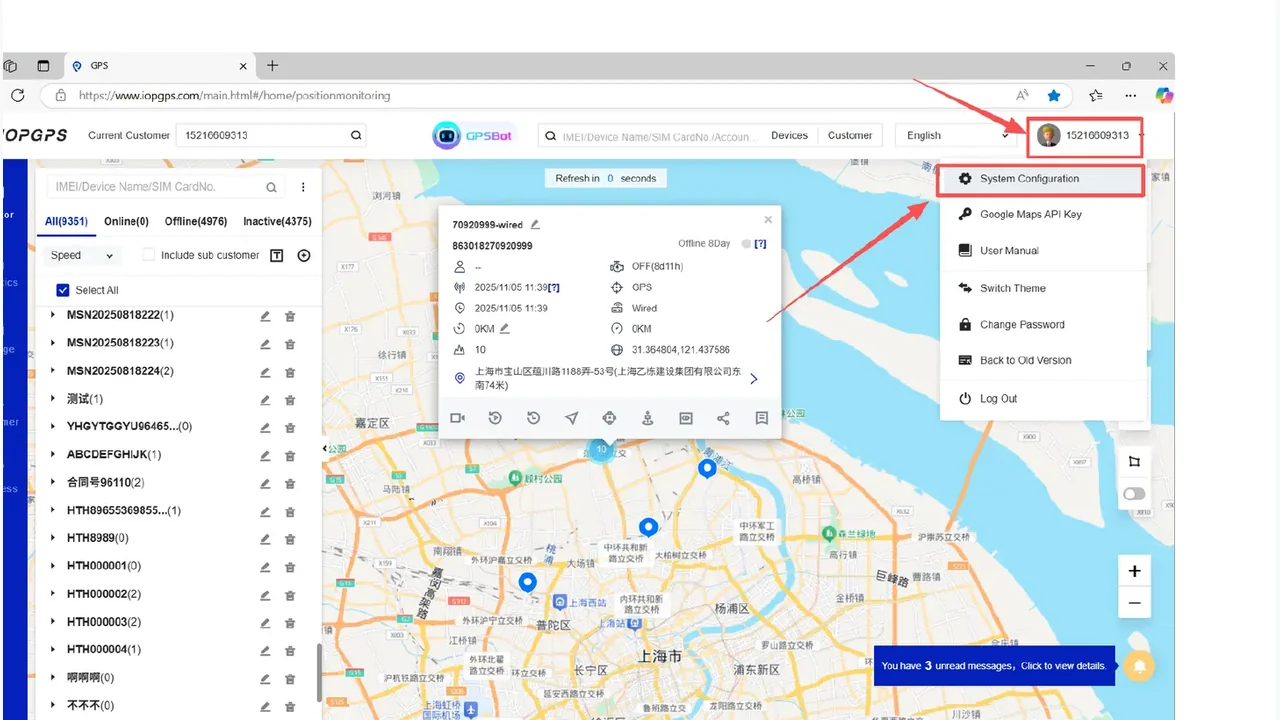
The device page keeps a real IOPGPS device-management screenshot and pairs it with a simple hierarchy view for account and permission context.
Device Capabilities
Add individual device records for targeted setup.
Import device records for larger deployments through Excel-based workflows.
Organize customer, partner, subordinate, and peer account relationships.
Configure access for different operating responsibilities.
Support query, edit, transfer, renewal, export, and related device tasks.
Device Operations Workflow
Teams add devices, organize account structures, assign responsibilities, and maintain records as deployments change.
Create individual device records or import larger device groups through the available onboarding workflow.
Place devices within the appropriate customer account, operating group, or device structure.
Define user roles, permissions, and operational ownership for the relevant devices and accounts.
Review device status and perform available assignment, transfer, export, and related lifecycle tasks.
Check device records, ownership, service context, and operating status as the deployment changes.
Device Operations Users
Operations teams that need to add, assign, transfer, query, and export device records.
Finance and fleet teams managing connected assets across portfolios or groups.
Telematics partners supporting multiple customers, accounts, and device types.
Device and Account Structure
How will devices be added, assigned, and organized?
Which account roles need access to device records and lifecycle workflows?
Which device models and third-party protocols need to be supported?
Device and Data Dependencies
Device identifier and activation status
Protocol and telemetry field support
Account hierarchy and permissions
Import template and data quality
Deployment Considerations
Device compatibility and available functions depend on protocol, data fields, and device configuration.
Account hierarchy and permissions should match customer, partner, and operating responsibilities.
Lifecycle workflows are configured around authorized users and deployment scope.
Customer Proof
A Southeast Asian vehicle finance provider used IOPGPS to support digital oversight for one million financed vehicles.
IMIP used a customized IOPGPS environment to digitize industrial fleet operations across 7,000 connected vehicles.
Yes. IOPGPS supports manual device onboarding and batch onboarding through Excel-based workflows.
Yes. IOPGPS supports account hierarchy and role-based permissions for structured access control.
Yes. WanWay supports BYOD and third-party device integration. Compatibility and available functions depend on device protocol, data availability, permissions, and deployment configuration.
Device-management capability depends on device model, protocol, available data, activation status, account permissions, and deployment configuration.
Last updated July 25, 2026.