
Alerts and Workflows
Event handling links vehicle events to rules, notifications, team review, and permitted follow-up actions.
- Events that require review
- Teams and escalation responsibilities
IOPGPS gives WanWay customers a web and mobile operating environment for vehicle location visibility, device management, alerts, reporting, exports, and authenticated integrations.
The platform is configured around each customer's vehicles, devices, account structure, permissions, operating workflows, and integration scope.
Platform Summary
IOPGPS combines visibility, device operations, event handling, reporting, and integration planning in one web and mobile platform environment.
Platform Breadth
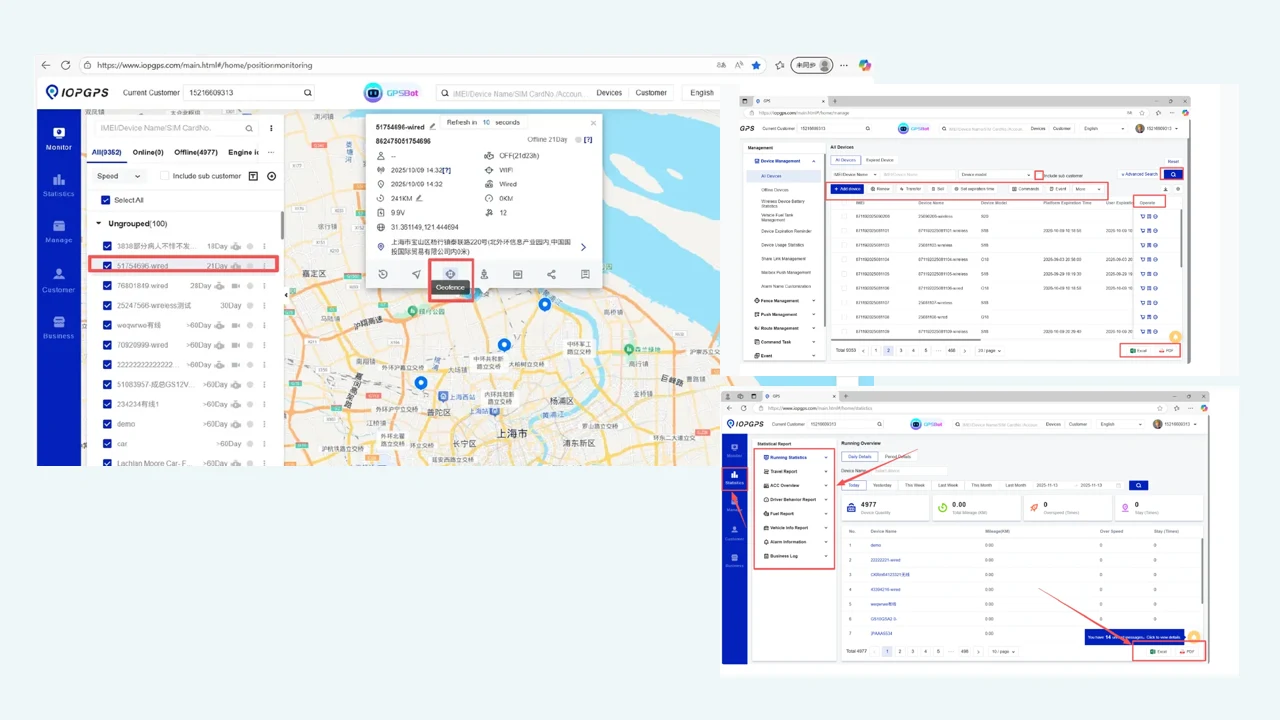
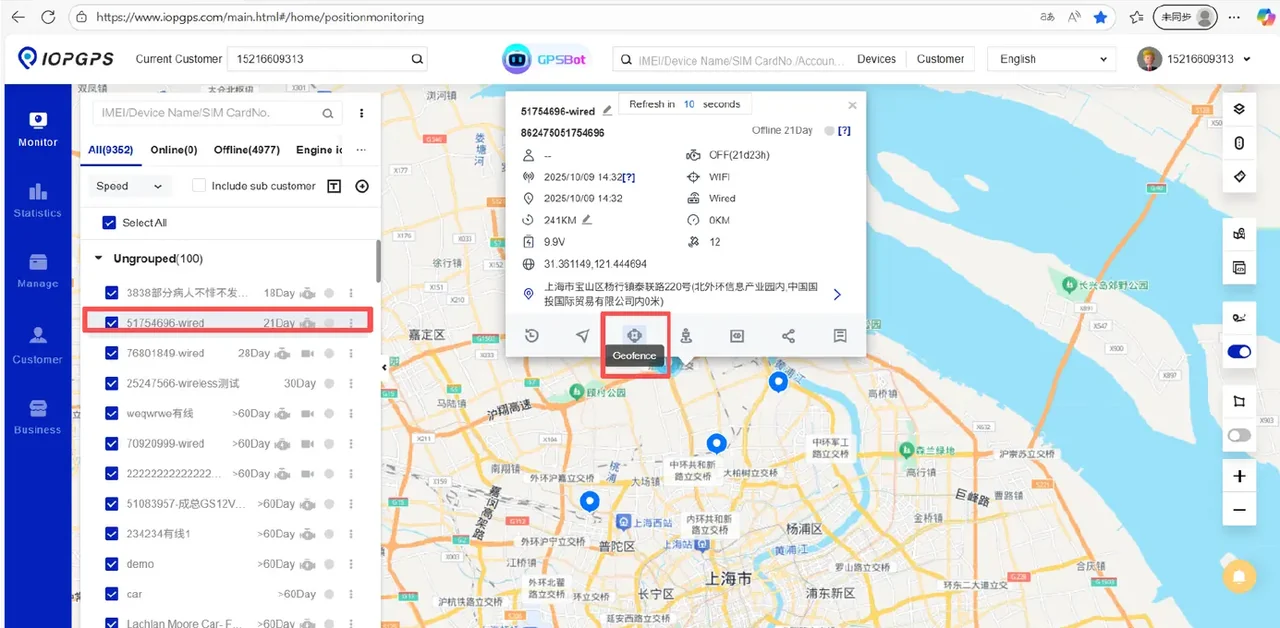
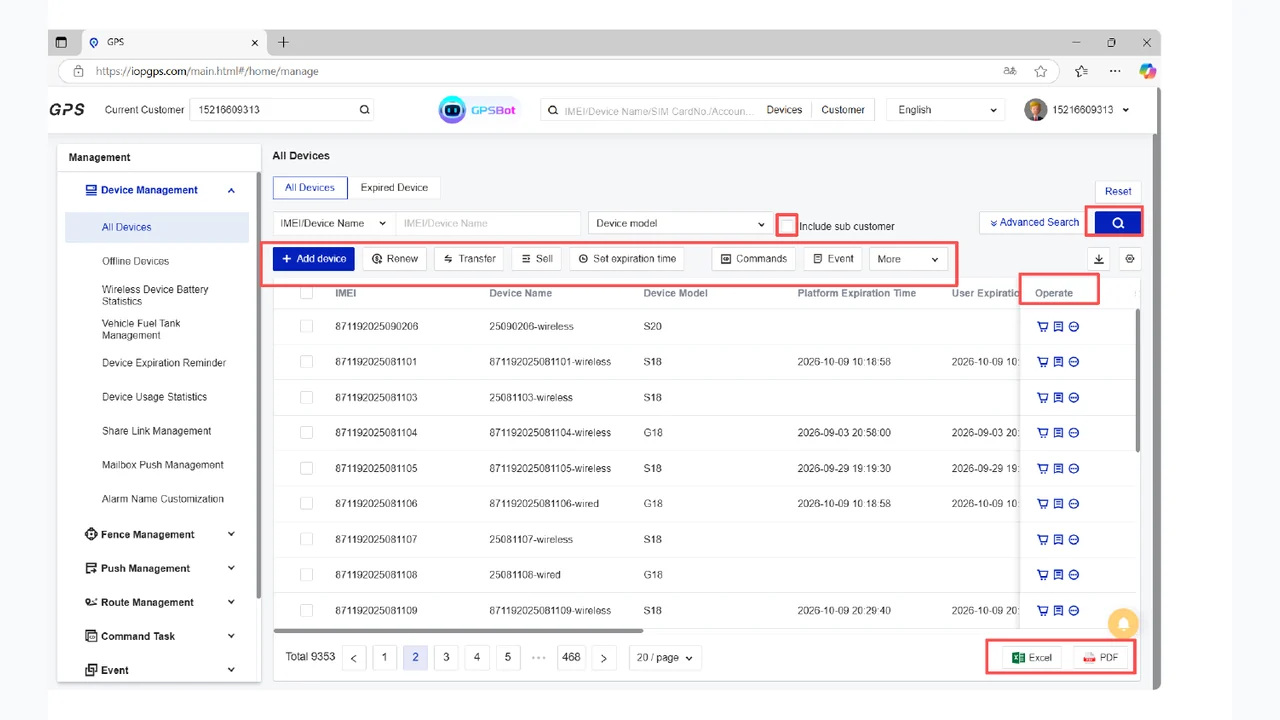
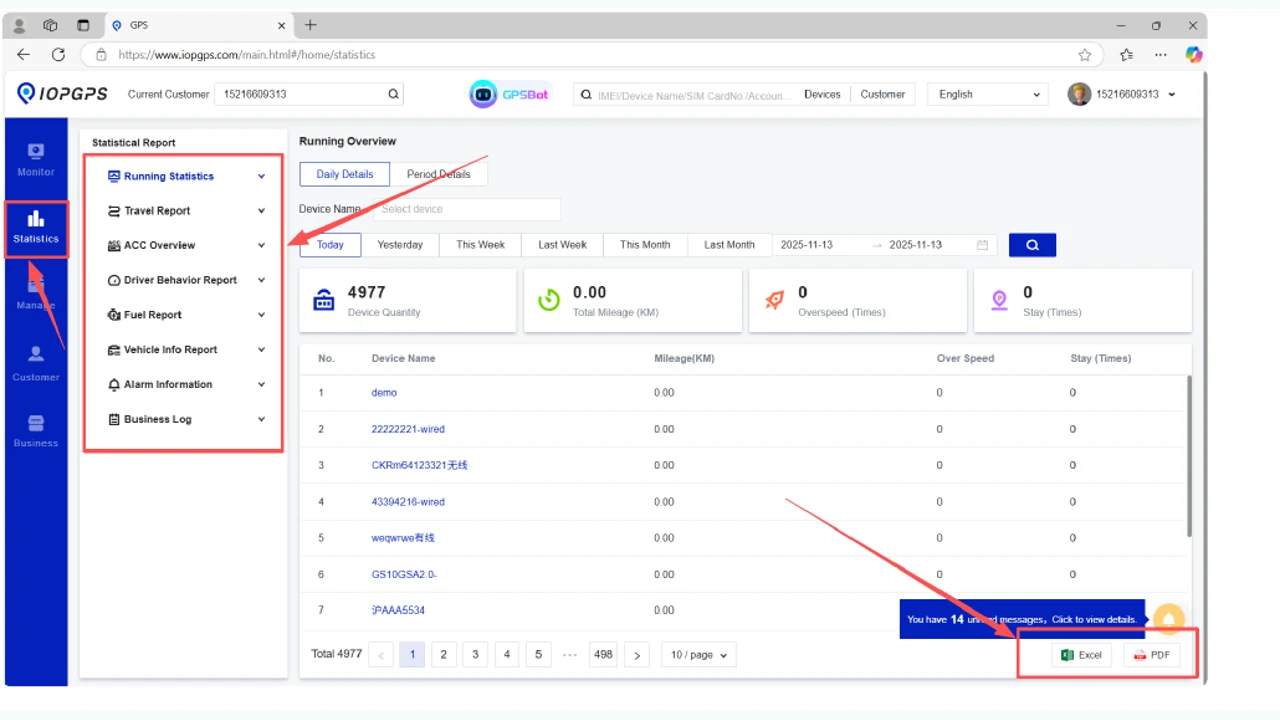
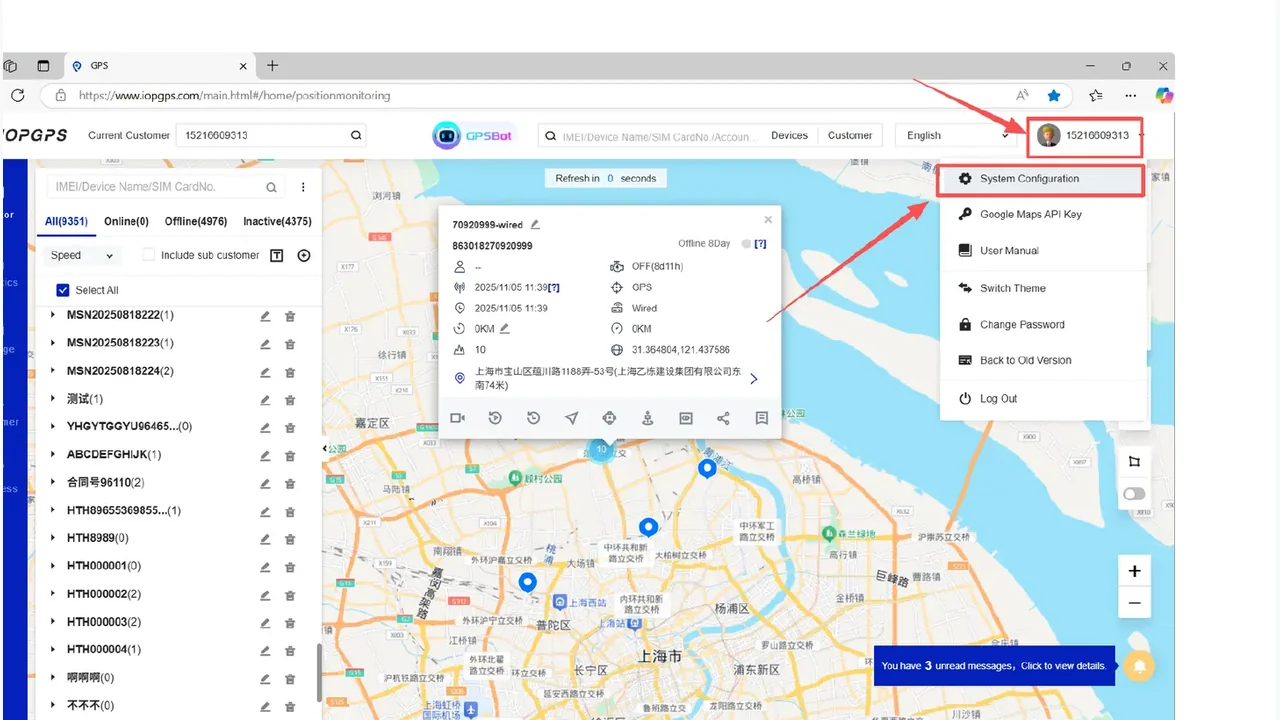
The Platform Overview uses approved IOPGPS screenshots together to show map visibility, device operations, and reporting context without relying on a single tracking view.
Platform Areas
Event handling links vehicle events to rules, notifications, team review, and permitted follow-up actions.
Integration scope connects a business system to authenticated access, selected data, permissions, testing, and launch ownership.
Device operations connect account structure, user permissions, onboarding, assignment, transfer, and lifecycle review.
Reporting workflows help teams filter telematics records, review exceptions, export records when permitted, and coordinate follow-up.
Visibility work starts with current position, then adds device status, movement history, and controlled location sharing for authorized review.
Platform Users
Operations teams that need vehicle location, device status, alarms, and playback in one workflow.
Finance and recovery teams that need structured account access, reports, and mobile coordination.
Telematics partners that need device operations, reporting, and integration workflows across customers.
Deployment Planning
Which vehicles and device types need to be managed?
Which teams need web access, mobile access, reports, alerts, and exports?
Which data and workflows should connect with external systems?
Platform Capabilities
Monitor connected vehicles, review device status, use map views, and examine movement history when data is available.
Configure geofences, alarms, notifications, and task or event workflows around operating requirements.
Add devices manually or in batches, manage lifecycle activity, and organize accounts and roles.
Review operational reports and export records for defined workflows.
Connect authenticated platform data and workflows with external systems according to the integration scope.
Deployment Approach
A deployment is organized around the vehicles, devices, teams, permissions, and operating workflows involved.
Identify the vehicles, devices, teams, accounts, and primary business workflows included in the deployment.
Establish account hierarchy, user responsibilities, permissions, and device groups for the participating teams.
Align monitoring, alerting, reporting, device, and integration workflows with the agreed operating process.
Test the agreed workflow, confirm team responsibilities, and move the deployment into daily use.
Device and Data Dependencies
Device model and firmware capability
Protocol and data-field availability
Connectivity and reporting interval
Account permissions and deployment settings
Deployment Considerations
Available data and functions depend on device model, protocol, connectivity, and configuration.
Permissions, account hierarchy, reports, and mobile access are configured for each customer environment.
Integration methods, data scope, and permissions are defined for each integration.
Customer Proof
A Brazilian vehicle security provider used IOPGPS to support faster recovery coordination across 5,000 connected security vehicles.
A Southeast Asian vehicle finance provider used IOPGPS to support digital oversight for one million financed vehicles.
IMIP used a customized IOPGPS environment to digitize industrial fleet operations across 7,000 connected vehicles.
IOPGPS is WanWay's web and mobile telematics platform for vehicle monitoring, device operations, alerts, reports, exports, and defined integration workflows.
IOPGPS is designed for vehicle finance providers, recovery operations, fleet operators, telematics service providers, and system integrators.
Yes. The IOPGPS mobile app supports monitoring, maps, tracking, playback, alarms, reports, and operational workflows for authorized users.
Yes. IOPGPS provides authenticated API access for defined integration scenarios. Available methods, data scope, and permissions are configured for each integration.
Available functions depend on device model, protocol, data availability, connectivity, account permissions, and deployment configuration.
Last updated July 25, 2026.